What types of activity appear in the calendar?
The calendar brings training, matches and other team events together in the same schedule.
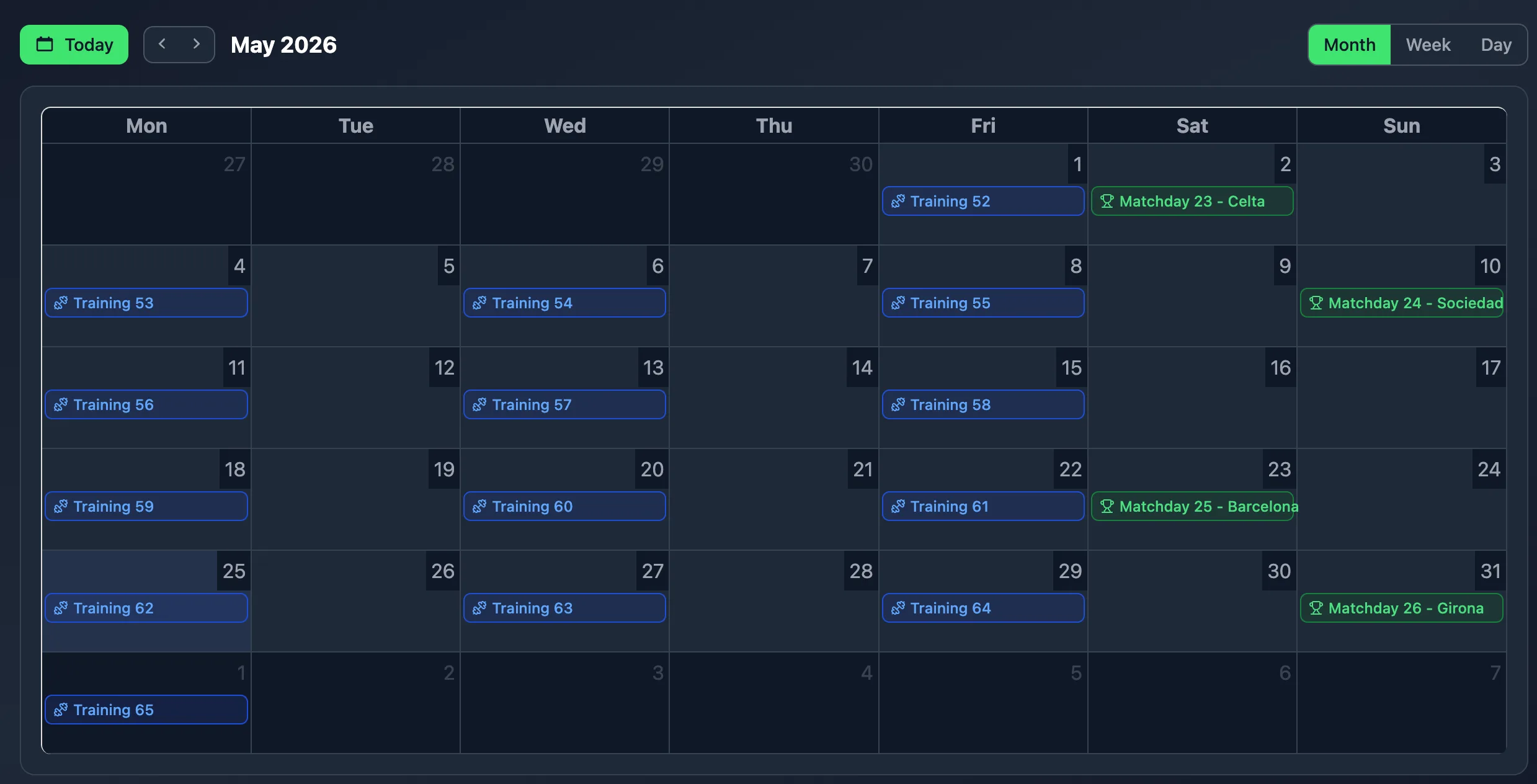
Training, matches and team events live in the same calendar. Switch between month, week and day, return to the current date with the Today button, and open each activity directly when you need to review its full context.
No credit card · Free tactical board forever
One training event sits in Google Calendar. The match time is confirmed in a chat. A date change ends up recorded in a spreadsheet. Each tool can solve one part of the problem, but reconstructing the full schedule means jumping between them.
NeoTactIQ brings team activity into one view so you can see what is happening and when without rebuilding the context every time. The calendar does not make planning decisions or create events for you: its job is to provide one place for consulting activity that already belongs to the team.
One team schedule: training, matches and events in the same view, with direct access to each record.
The Month view helps you understand how activity is distributed across a wider period. You can see where training is concentrated, locate competitive weeks and place other events inside the broader schedule.
The Week view brings the focus closer to the next few days and makes the immediate sequence of training and competition easier to review. The Day view lets you concentrate on one specific date when you need to see what is scheduled.
The Today button returns the calendar to the current date, while events are differentiated by colour according to type to make the schedule easier to read.
The calendar is more than a grid of dates.
Each activity opens its corresponding record. If it is training, you can go directly to the entry containing its context. If it is a match, open the game record and continue from there.
That keeps two questions connected that often end up separated: when does something happen and what information belongs to it. There is no need to duplicate an event in a second agenda just so you can find it later.
When you coordinate several age groups, many questions do not require another meeting or a document prepared specifically for you.
If you want to review a team's activity over the last six weeks, enter that team's context and move through the relevant period in the calendar. For example, you can check how many friendlies are recorded, when they were played and how they sat alongside the rest of the team's activity.
Supervision remains inside the context of the relevant team. There is no aggregated calendar across all teams and no automatic comparisons between age groups. The value is being able to consult work that already exists without asking the coach to collect it again.
The calendar brings training, matches and other team events together in the same schedule.
Yes. NeoTactIQ includes Month, Week and Day views, together with a Today button for returning to the current date.
Yes. Each event opens its corresponding record so you can review the details without searching in another module.
Review the week, scan the month or open an activity directly. The calendar brings time and team context together inside the same workflow.
No credit card · Free tactical board forever