
Can I see which plan the club currently has?
Yes. Club Settings shows plan and subscription information so administrators can review what the club has, what it includes and when it renews.
Manage the club's identity, subscription information, available limits, storage and season cycle from one place. Club Settings brings together what administrators need to understand the organisation's current setup and keep continuity when one season ends and the next begins.
Settings keeps the basic information that identifies the club inside NeoTactIQ. You can define the club name and logo so the organisation has a recognisable identity throughout the working environment.
This is not presented as a public-facing communication page. Its purpose is administrative: keeping the club correctly identified inside the structure used by teams, users and seasons.
Administrators need to understand the club's available capacity and subscription status without relying on separate commercial documents.
Settings includes information related to the plan and subscription, billing, associated limits and storage usage. NeoTactIQ includes 75 GB of club storage, with the option to expand it: this capacity is part of the information administrators can review when checking how much space remains available and whether additional storage may be needed.
This page does not publish plan names or specific prices. For the current commercial offer, see Pricing.
The administrator always knows which plan the club has, what it includes and when it renews.
A season should not end as a folder that gets archived while the club starts again from zero.
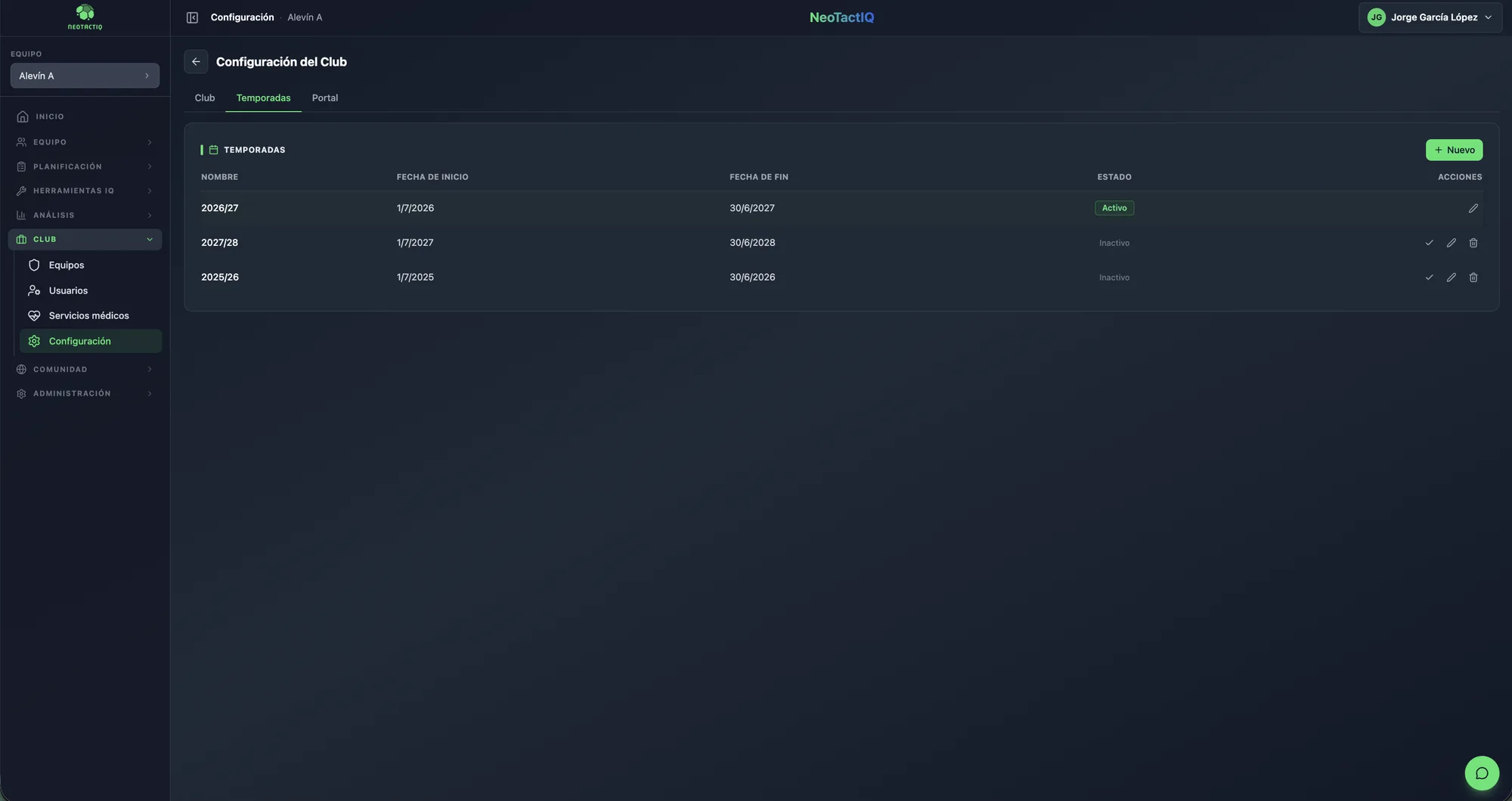
NeoTactIQ lets administrators manage the season cycle from Club Settings: close a season when it ends, open the next one for continued work and return to an earlier season when its context needs to be consulted.
The value is institutional continuity. The club can move from one season to the next while retaining the reference of previous years. This page does not specify exactly which fields remain in the historical record or what can be exported: the promise is that the season remains part of the club's history and can be consulted later.
Close the season, open it again and keep the history: the club does not start from zero every year.
When a coach, coordinator or sporting director changes, the club should not have to depend on the personal files of whoever came before.
Keeping seasons inside NeoTactIQ allows the sporting journey to remain part of the organisation's structure. The new season starts with the previous one still available as context instead of forcing the club to reconstruct its history from scattered documents.
Yes. Club Settings shows plan and subscription information so administrators can review what the club has, what it includes and when it renews.
The verified capacity is 75 GB, with the option to expand it. Settings lets administrators review storage within the club context.
You can close the season and keep it as history. NeoTactIQ lets the club continue into a new season without starting from zero every year.
Identity, subscription, limits, storage and seasons belong to the same administrative responsibility: keeping the club organised while the project continues.